01
Room use
Living room, primary bedroom, office, dining area, or another specific function.
Google Gemini playbook
Use an uploaded room image as the reference, describe a controlled edit, then compare the result against the original before export.
Controlled fictional room demonstration. The player teaches the reference-image, property-lock, client-direction, and verification pattern; Gemini availability and limits can vary by account and region.
Treat this as one connected operating system: capture an honest source with the source-photography guide, build the property locks and client direction in the prompt library, run the edit in the model playbook you choose, compare both files with the quality-control gate, then package the accepted draft with the disclosure and record system. FSBO sellers can continue into the owner publishing workflow. Agents can turn the verified evidence pair into a source-led content bundle and a citable SEO/GEO page.
Use the clearest, highest-resolution room photo. If you add a style reference, say which image controls geometry and which controls only mood.
Say “edit this image” and list every permanent feature Gemini must preserve.
Ask for one image and one room use. Avoid bundling multiple styles or structural requests.
If the window, floor, fixture, or perspective changes, name that exact error and restate the locked features.
Use the original as the source of truth. Reject beautiful images that are not the same property.
Save the original beside the edit and label the result as virtually staged wherever it is used.
Customize for the client
The client should be able to choose the presentation direction without giving the model permission to redesign the home. Record these six fields, get the direction approved, then insert the exact answers into the prompt.
01
Living room, primary bedroom, office, dining area, or another specific function.
02
Entry, mid-market, premium, rental, or FSBO context. This controls restraint and finish, not property facts.
03
Name one useful direction such as warm contemporary or soft modern-traditional.
04
Minimal, balanced, or fuller. Set the walking path and the short essential-furniture list.
05
Camera, crop, geometry, openings, fixtures, materials, view, light direction, and visible condition.
06
Use property and design context. Do not target or assume protected classes, family status, disability, religion, race, or another protected trait.
Treat this as one connected operating system: capture an honest source with the source-photography guide, build the property locks and client direction in the prompt library, run the edit in the model playbook you choose, compare both files with the quality-control gate, then package the accepted draft with the disclosure and record system. FSBO sellers can continue into the owner publishing workflow. Agents can turn the verified evidence pair into a source-led content bundle and a citable SEO/GEO page.
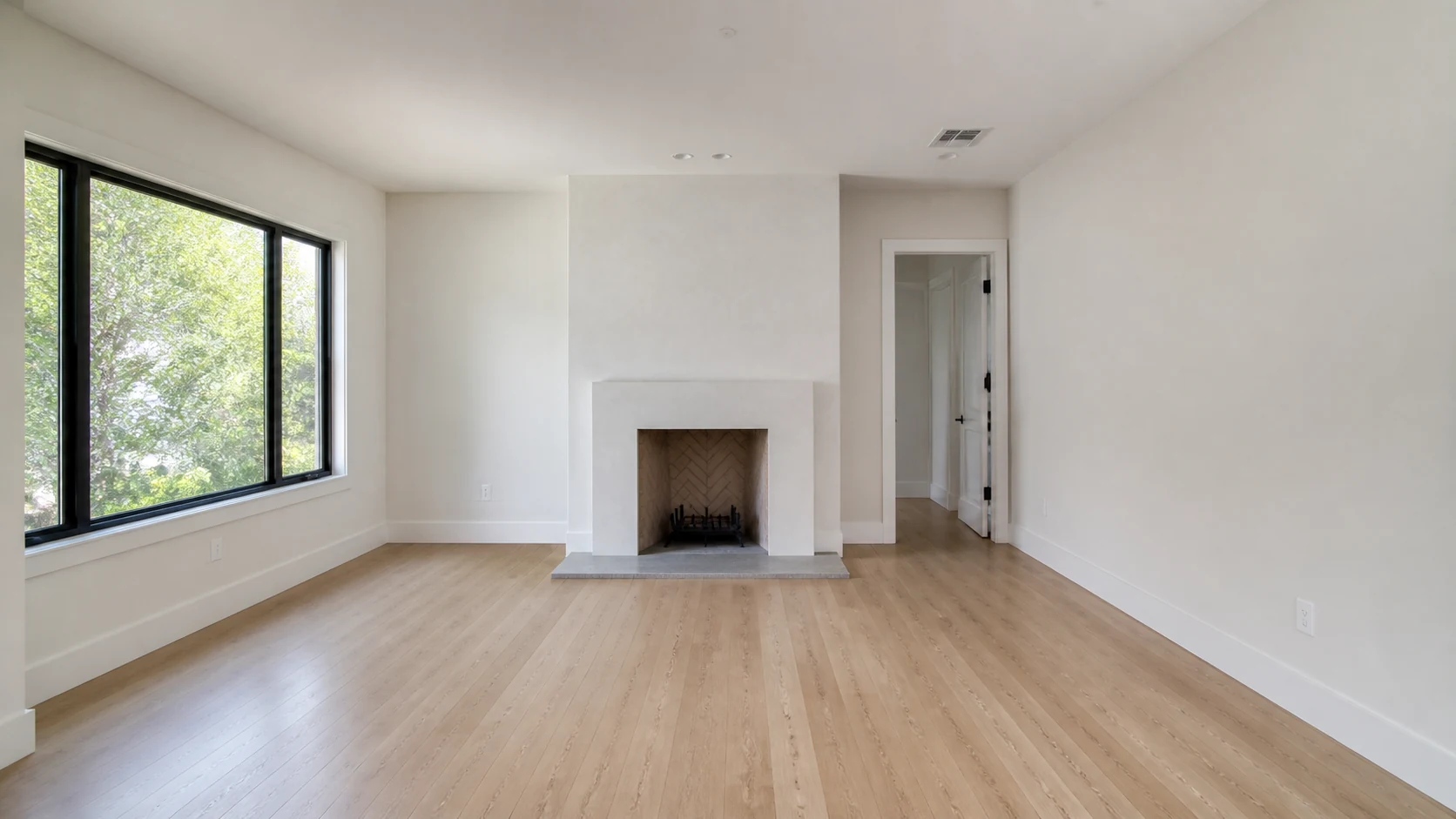
Before — original empty room
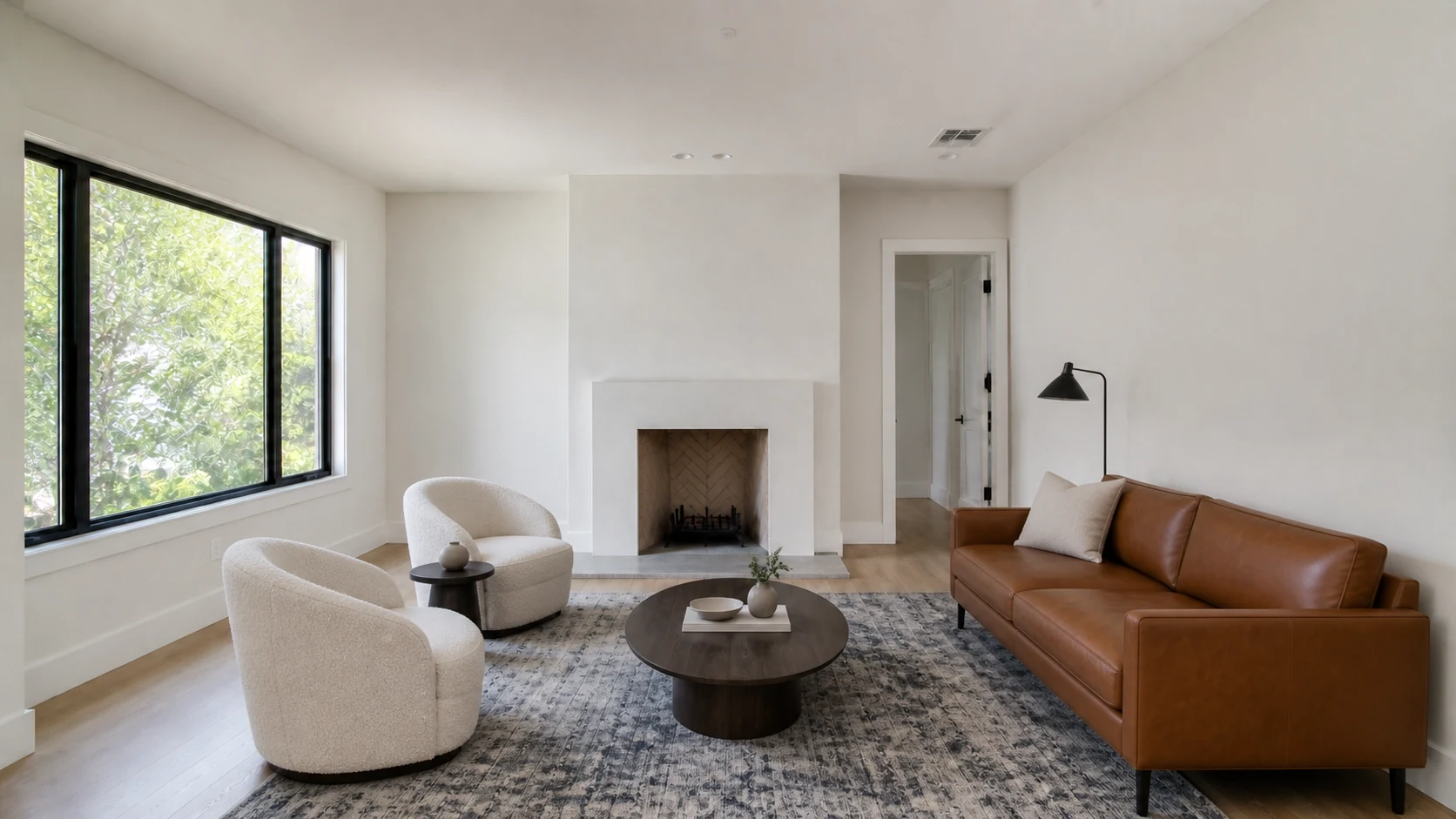
After — virtually staged draft
Gemini controlled-edit prompt
Use the uploaded empty-room photo as the controlling reference. Edit that image; do not create a different room.

Stage it as a restrained [STYLE] [ROOM TYPE] for this [LISTING POSITION + ROOM USE]. Do not infer or target protected classes. Add only movable furniture and decor.

Lock: camera, crop, perspective, walls, openings, ceiling, floor, built-ins, fixtures, exterior view, lighting direction, material colors, and visible condition.

Furniture must be correctly scaled, physically grounded, and arranged with realistic circulation. Match shadows and reflections to the source.

No renovation, repairs, architectural changes, hidden defects, text, people, pets, or logos. Return one photorealistic image at the source aspect ratio.
Research sources
Google’s current first-party instructions and availability notes for image generation and editing in Gemini Apps.
How Google recommends publishing discoverable, useful images with surrounding context and alt text.
Truthful, non-deceptive, evidence-based advertising applies to visual claims too.
A first-party risk framework supporting human review and output documentation.
Product access, limits, local listing rules, platform policies, and laws can change. Re-check the linked authority before important or public work.
Keep building
AI Acceleration: Real Estate is a private, self-directed curriculum for practical AI work across content, communication, lead follow-up, CRM, client research, operations, and relationship management. Build it. Review it. Keep what works.
Explore the Skool community ↗Follow Ryan + AI Acceleration
No ranking, revenue, closing, or time-saving promise. The classes teach the work and the review systems around it.