01
Room use
Living room, primary bedroom, office, dining area, or another specific function.
Claude planning + QA playbook
Claude does not currently render ordinary image outputs. Use its image understanding to plan the edit and audit the result, then use Gemini, ChatGPT, or Grok for the actual staging render.
Treat this as one connected operating system: capture an honest source with the source-photography guide, build the property locks and client direction in the prompt library, run the edit in the model playbook you choose, compare both files with the quality-control gate, then package the accepted draft with the disclosure and record system. FSBO sellers can continue into the owner publishing workflow. Agents can turn the verified evidence pair into a source-led content bundle and a citable SEO/GEO page.
Ask it to identify permanent features, ambiguities, likely room use, and visual risks without guessing.
Have Claude turn its inspection into a short furniture plan and a tool-ready image-editing prompt.
Take the brief to Gemini, ChatGPT, Grok, or another image editor that can produce the actual edit.
Upload original and staged versions together and ask for evidence-backed comparison, not a general opinion.
Send exact failed items back to the rendering tool. Keep all already-correct areas locked.
Claude can miss visual changes. A person still verifies property facts, platform rules, and disclosure.
Customize for the client
The client should be able to choose the presentation direction without giving the model permission to redesign the home. Record these six fields, get the direction approved, then insert the exact answers into the prompt.
01
Living room, primary bedroom, office, dining area, or another specific function.
02
Entry, mid-market, premium, rental, or FSBO context. This controls restraint and finish, not property facts.
03
Name one useful direction such as warm contemporary or soft modern-traditional.
04
Minimal, balanced, or fuller. Set the walking path and the short essential-furniture list.
05
Camera, crop, geometry, openings, fixtures, materials, view, light direction, and visible condition.
06
Use property and design context. Do not target or assume protected classes, family status, disability, religion, race, or another protected trait.
Treat this as one connected operating system: capture an honest source with the source-photography guide, build the property locks and client direction in the prompt library, run the edit in the model playbook you choose, compare both files with the quality-control gate, then package the accepted draft with the disclosure and record system. FSBO sellers can continue into the owner publishing workflow. Agents can turn the verified evidence pair into a source-led content bundle and a citable SEO/GEO page.
Upload the original and staged files together. Ask for a check table that cites visible evidence. “Looks accurate” isn’t a useful answer.
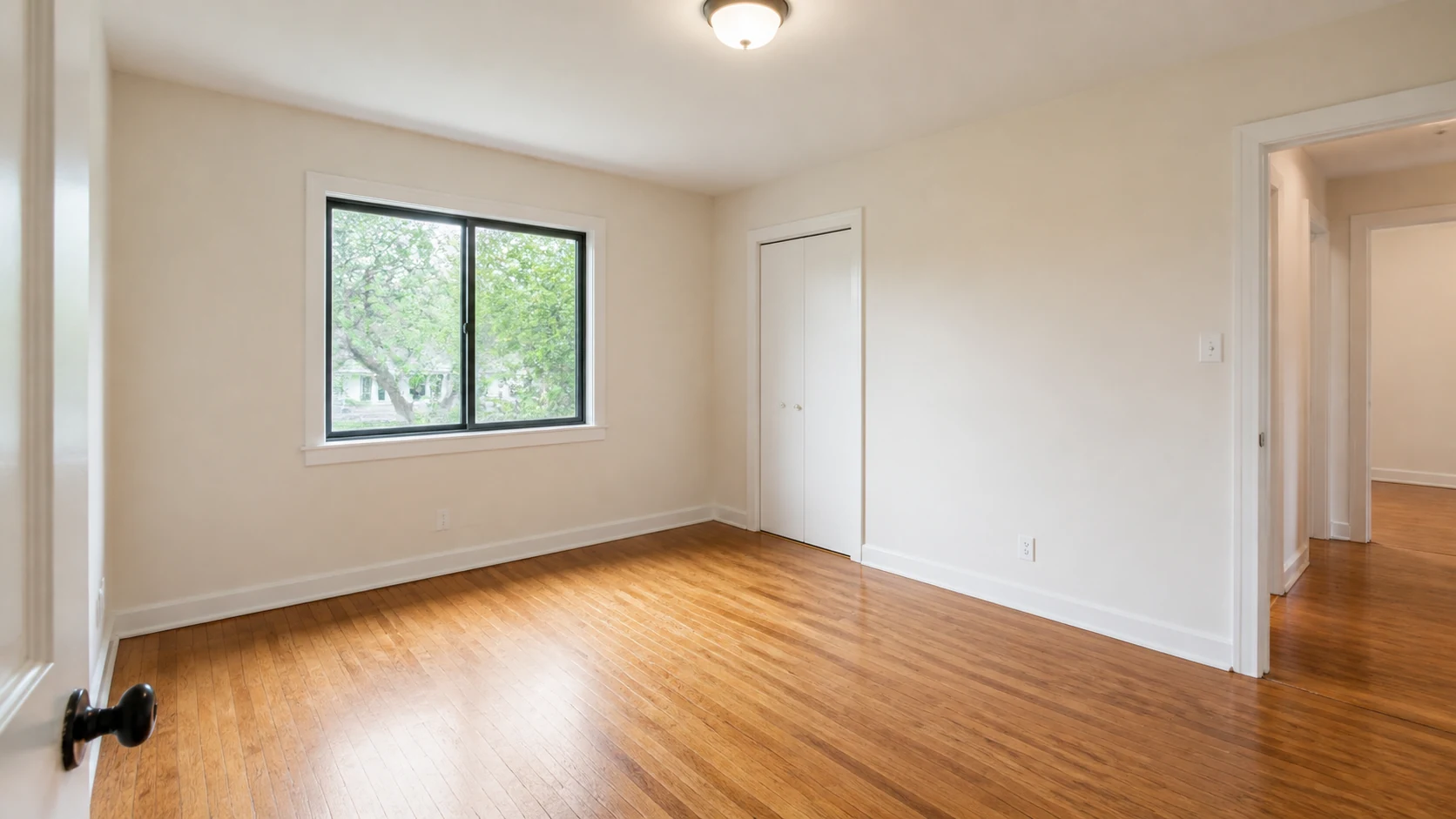
Before — original empty room
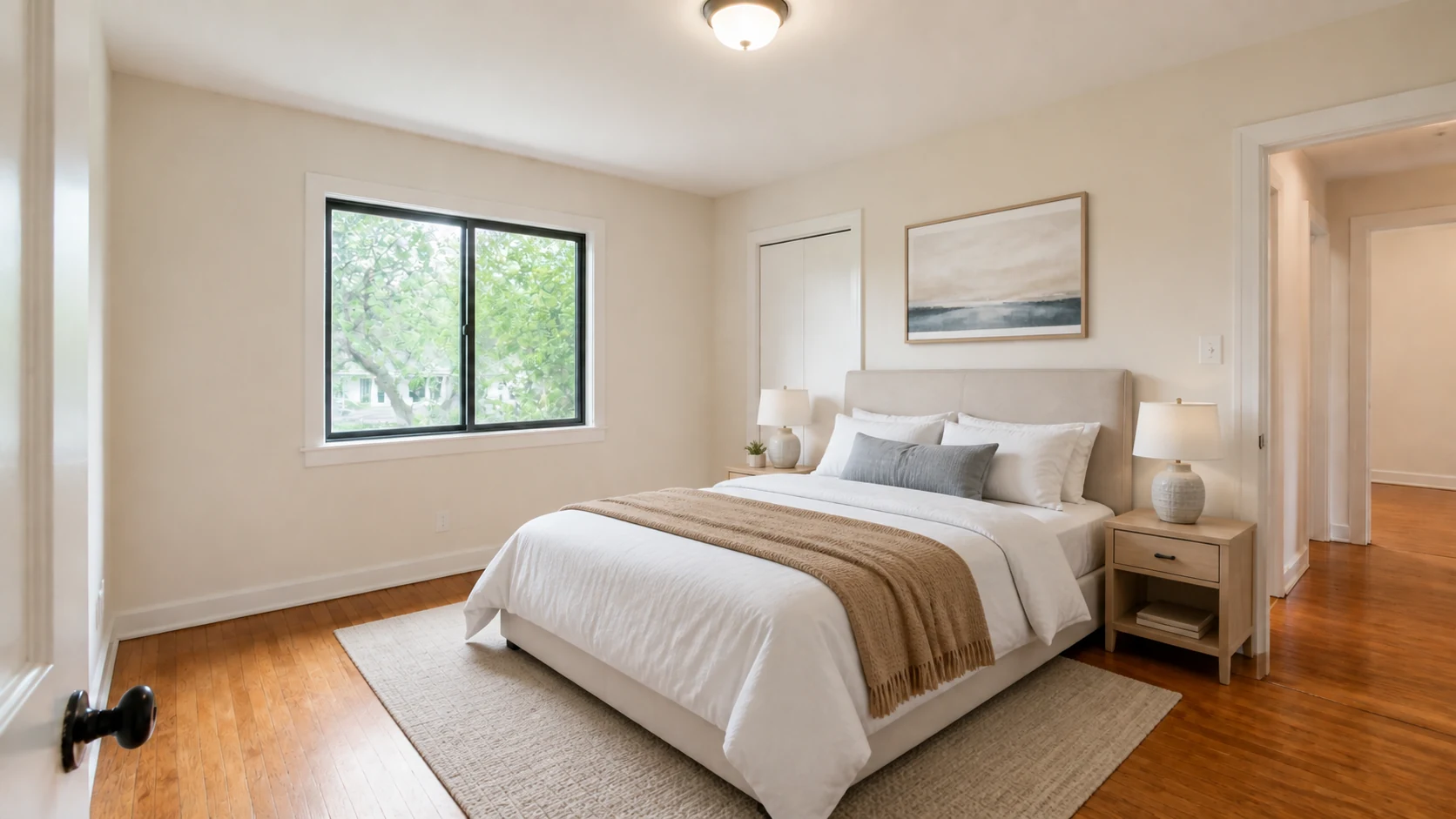
After — virtually staged draft
Photo-to-edit-brief prompt
Inspect the uploaded room photo and help me prepare a virtual-staging brief. Do not claim to render the image.

Return:
1. probable room type and current visual constraints
2. permanent features the image editor must preserve
3. visible condition or ambiguity that staging must not conceal
4. a minimal furniture plan with scale and circulation notes
5. light direction, likely shadow behavior, and reflection risks
6. a concise image-editing prompt for [TARGET IMAGE TOOL]
7. a 12-point side-by-side verification checklist specific to this photo

If a dimension, material, view, or feature is unclear, label it uncertain rather than guessing.
Original-vs-staged QA prompt
Compare the original room photo and the virtually staged version I uploaded.

Create a table with: check, original evidence, staged evidence, pass/fail/uncertain, and required correction.

Check camera and crop; perspective; walls; windows; doors; trim; ceiling; flooring; built-ins; fixtures; exterior view; material colors; visible condition; furniture scale; circulation; contact shadows; reflections; and disclosure readiness.

Do not judge style preference until property accuracy is complete. If you cannot verify a detail from the images, mark it uncertain.
Research sources
Anthropic’s current first-party explanation of Claude’s image-output limitation and visual-analysis capability.
Current first-party upload guidance; supported inputs and limits can change.
Supports layered human review, tracking, and documentation.
The external listing image still has to be truthful and non-deceptive.
Product access, limits, local listing rules, platform policies, and laws can change. Re-check the linked authority before important or public work.
Keep building
AI Acceleration: Real Estate is a private, self-directed curriculum for practical AI work across content, communication, lead follow-up, CRM, client research, operations, and relationship management. Build it. Review it. Keep what works.
Explore the Skool community ↗Follow Ryan + AI Acceleration
No ranking, revenue, closing, or time-saving promise. The classes teach the work and the review systems around it.