Skip to content

Google Business Profile · a working lesson

How can I use AI to build, improve or recover my Google Business Profile?

Start with the profile you actually have. Choose the build, improvement or recovery route, give AI confirmed business facts, and review one field or next action at a time. Keep sign-in and verification in your hands and check what Google actually saved.

Ryan Wanner · edited class lesson published November 3, 2026

All free classes

The profile working desk

Page 1 of 7
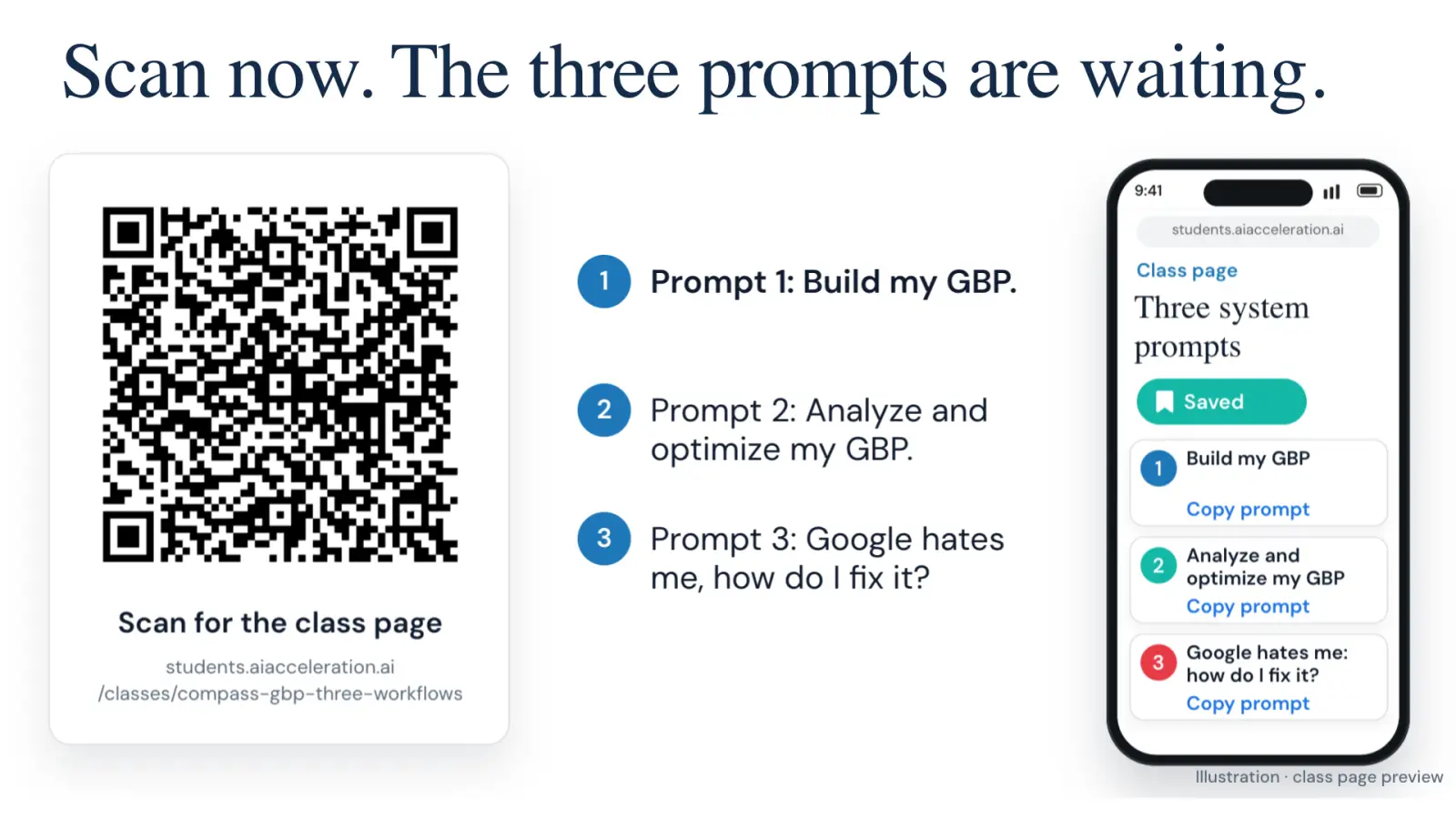
Scan now. The three prompts are waiting.. Scan for the class page. students.aiacceleration.ai. /classes/compass-gbp-three-workflows. 1. Prompt 1: Build my GBP.. 2. Prompt 2: Analyze and optimize my GBP.. 3. Prompt 3: Google hates me, how do I fix it?. 9:41. QR code. students.aiacceleration.ai. students.aiacceleration.ai. Class page. Three system prompts. Saved. 1. Build my GBP. Copy prompt. 2. Analyze and optimize my GBP. Copy prompt. 3. Google hates me: how do I fix it?. Copy prompt. Illustration · class page preview. Prompt 1: Build my GBP.. Prompt 2: Analyze and optimize my GBP.. Prompt 3: Google hates me, how do I fix it?
Scan now. The three prompts are waiting.

Watch the 10-minute edited lesson

9:47 edited lesson · Open on YouTube

Read and practice on this page. Everything on this page is free: the recording, the slides, the prompts, and the workbook. No account needed. The free portal account is for downloading the files.

Each class was taught live by Ryan Wanner to working real estate agents.

The video is an edited teaching excerpt. Work at your own pace; Google controls verification and support timing.

Which profile task is yours?

Keep the worksheet beside your browser. Choose one route, then save a reviewed draft or the exact blocker.

Choose your starting state

Find the real business on Maps first. Use the Build prompt below.

Open this working prompt

A field you can check

Current
An old agent-page link
Proposed
Your actual current public agent page
Evidence
You opened the destination and confirmed the identity and contact details
Result
Unchanged until approved; then check whether the new link is visible

Illustrative example. No profile was changed for this lesson.

Your route from facts to a checked result

  1. Find your starting point

    Search Maps for the exact person or business. Record the existing profile URL and what Google shows: unclaimed, managed, pending verification, suspended or unknown. A second profile is not a workaround for an access problem.

  2. Confirm the real business

    Identify the practitioner, team or brokerage represented. Establish real services, direct contact and the actual customer-facing operating model. Check Google's current eligibility rules; a mailing address alone does not establish eligibility.

  3. Open the matching working prompt

    Build for a missing or unclaimed eligible profile; Improve for a verified live profile; Recover for a specific ownership, verification or suspension problem. Start with a small task you can inspect.

  4. Review the facts before the change

    For a profile field, write current value, proposed value and its evidence. For recovery, write the exact observed message and the official next step. Correct the summary before allowing the AI to continue.

  5. Keep verification human

    Handle your own sign-in, codes and verification evidence. Use the method Google actually offers. A prompt cannot grant missing permissions, and a submitted change is not necessarily verified or visible.

  6. Read back and keep the next action

    Reopen the profile after an authorized change. Record saved, pending, rejected or unknown. Keep the source, date, responsible person and next check. A useful result can be a reviewed draft or a clearly documented blocker.

Three prompts, three starting points

BUILD

Build or claim the right profile

Find or claim the right profile, then review its fields.

Open the working prompt
Help me find and prepare the correct Google Business Profile for my real business.

1. Establish what the profile represents: individual practitioner, team or brokerage. Ask how the business actually operates, where customers meet us, and what signage, staffing and direct contact facts are true. Check the current official eligibility rules before choosing an address/operating model. A mailing address alone does not establish eligibility.
2. Search Maps for the exact person/business before creating anything. Record the existing URL and ownership/verification state. Choose manage, claim, request access, genuinely missing, or stop for an unresolved eligibility/duplicate/suspension issue. Never create a replacement to bypass a problem.
3. Start with a small test: show the real-world name and primary category options actually available. Explain the evidence and let me correct them. Then work through contact information, genuine services, hours, website, description and permitted images one field at a time.
4. Maintain a table: field | current value | proposed value | source/confirmed fact | my approval | applied status | public readback. No invented credentials, offices, awards or services. Do not invent menu paths; use what is visible or current official help.
5. I complete the verification method Google offers. Do not alter verification evidence or claim success before Google confirms it. Follow the instructions for the actual pending method before suggesting edits. Record the status, next action, owner and date.

Finish with a reviewed field draft or a documented blocker and the next legitimate action. A short practice session is not a promise that verification finishes today.

Work with my actual profile and confirmed professional facts. Ask one useful question at a time, wait, then summarize confirmed facts and unknowns for correction. First establish which tools you actually have; if browser control is unavailable, guide me while I operate it. Never claim a connection or completed action without evidence.

I handle sign-in, passwords and verification codes. Use only the information needed for this task. Do not ask me to paste private identity documents, private addresses or client details. Use current official Google Business Profile guidance for eligibility, representation, ownership, verification and reviews; open the relevant source and record its URL and checked date. If you cannot read it, say so and stop any dependent recommendation. Forum reports are not policy.

Before any external save, submission, connection or message, show the exact final content, destination and effect and wait for approval. Keep a copy of the previous value. After an approved action, reopen the result and report the actual status: saved, pending, rejected or unknown. Never equate a click with a completed change. Do not promise visibility, rankings, reviews or AI citations.
IMPROVE

Improve a verified profile

Check one correction or prepare a neutral review process.

Open the working prompt
Help me improve one verified, live Google Business Profile. If I say “review link only,” go directly to step 3.

1. Record the exact profile, owner access and visible state. Compare the public fields to my confirmed business facts and current official rules. Mark accurate, incorrect and unknown. Do not infer a ranking cause from a search snapshot.
2. Choose one useful correction. Show before, proposed value, evidence, risk and how to check it. Keep sensitive identity/verification changes separate from ordinary copy corrections. Explain any official restrictions that apply to my current state; do not invent a rule that every edit causes suspension.
3. Obtain the native review destination using actual owner controls or current official help. Open and test the destination. If unavailable, retain [REVIEW LINK NEEDED] and identify who can obtain it. Draft a neutral request for genuine experience with no incentives, suggested stars, keywords or satisfaction filtering. Do not send it.
4. If I request reply practice, use fictional feedback and clearly label it. Draft a brief response without confirming a transaction, exposing details or promising a remedy I have not approved.
5. If Performance data is available, record the exact date range and metric definitions. Clicks are not answered calls or customers. Compare like periods and record other changes; do not claim a correction caused an outcome.

Finish with one reviewed correction or review-process draft, the evidence checked, remaining unknowns and a realistic next check. There is no universal review-count threshold or star-rating target that guarantees discovery.

Work with my actual profile and confirmed professional facts. Ask one useful question at a time, wait, then summarize confirmed facts and unknowns for correction. First establish which tools you actually have; if browser control is unavailable, guide me while I operate it. Never claim a connection or completed action without evidence.

I handle sign-in, passwords and verification codes. Use only the information needed for this task. Do not ask me to paste private identity documents, private addresses or client details. Use current official Google Business Profile guidance for eligibility, representation, ownership, verification and reviews; open the relevant source and record its URL and checked date. If you cannot read it, say so and stop any dependent recommendation. Forum reports are not policy.

Before any external save, submission, connection or message, show the exact final content, destination and effect and wait for approval. Keep a copy of the previous value. After an approved action, reopen the result and report the actual status: saved, pending, rejected or unknown. Never equate a click with a completed change. Do not promise visibility, rankings, reviews or AI citations.
RECOVER

Resolve a profile problem

Document the actual issue and the official next action.

Open the working prompt
Help me understand a Google Business Profile ownership, verification, suspension or missing-review problem and prepare the next legitimate action.

1. Ask for the exact message, profile URL, visible account state, dates and previous actions. I may paste redacted text; do not request private documents or codes. Distinguish lost ownership, incomplete verification, suspended/disabled profile, rejected edit and missing review. If unclear, record unknown rather than diagnose by guesswork.
2. Build a dated timeline and separate observed facts from possible explanations. Do not create another profile, repeatedly resubmit, or change several fields to see what happens.
3. Open the current official help page for this exact state. Identify the authorized ownership, verification, appeal or review-support route and its requirements. Record the source and checked date. Do not invent a direct support contact, deadline or escalation guarantee.
4. Prepare a private evidence inventory: item type, what it establishes, where I retain it, and any mismatch to resolve. Do not fabricate signage, business identity, documents or verification footage. A checklist is not permission to upload evidence.
5. Draft the factual case explanation or next-step instructions. Show the exact destination, final text and attachment list for my review before any submission. After an approved submission, record the actual receipt/case ID, displayed status and official follow-up instruction.

Finish with the observed state, the official route, a draft or blocker, one responsible person and the next check. An appeal draft or submission is not reinstatement.

Work with my actual profile and confirmed professional facts. Ask one useful question at a time, wait, then summarize confirmed facts and unknowns for correction. First establish which tools you actually have; if browser control is unavailable, guide me while I operate it. Never claim a connection or completed action without evidence.

I handle sign-in, passwords and verification codes. Use only the information needed for this task. Do not ask me to paste private identity documents, private addresses or client details. Use current official Google Business Profile guidance for eligibility, representation, ownership, verification and reviews; open the relevant source and record its URL and checked date. If you cannot read it, say so and stop any dependent recommendation. Forum reports are not policy.

Before any external save, submission, connection or message, show the exact final content, destination and effect and wait for approval. Keep a copy of the previous value. After an approved action, reopen the result and report the actual status: saved, pending, rejected or unknown. Never equate a click with a completed change. Do not promise visibility, rankings, reviews or AI citations.
Open the status worksheet
# Google Business Profile working sheet

Companion to the recorded class · revised November 8, 2026.

## Choose one route
- Build or claim: missing/unclaimed profile, after checking Maps and eligibility.
- Improve: verified live profile; one factual correction or neutral review process.
- Recover: ownership, verification, suspension or other exact observed issue.

Exact profile URL:
What Google actually shows:
Confirmed business identity and operating model:
Ownership/access state:
Official source and date checked:
Unknowns and next question:

## Work one field at a time
| Field | Current | Proposed | Evidence | Approval | Applied status | Public readback |
|---|---|---|---|---|---|---|
| | | | | | Not applied | Not checked |

## Review process, if this is your task
Verified review destination:
Genuine-experience request trigger:
Neutral draft (no incentives, ratings request or satisfaction filtering):
Privacy and contact preferences checked:
Reviewed version and intended destination:
Actual send status: unsent unless separately approved and completed.

## Problem timeline, if this is your task
| Date | Observed message/action | Evidence retained privately | Actual result | Next official step |
|---|---|---|---|---|
| | | | | |

Keep passwords, codes, private identity documents and client details out of this sheet. Describe evidence types instead. Do not fabricate evidence or create a replacement profile to bypass a problem.

## Close the loop
Useful result: reviewed draft / completed and checked change / pending / blocked.
What was actually checked:
What remains unknown:
One next action, owner and review date:

Suggested practice: spend one session on a small task you can inspect. Google controls verification and support timing. A submitted change is not necessarily visible; a submitted appeal is not reinstatement. Record actual observations without ranking or citation promises.

Listen for the checks

Do you have a service area?
4:02 in the lesson · The operating model is a fact to establish before drafting a profile.
everything as accurate as possible
5:58 in the lesson · Accuracy is the useful first test for each field.
someone has to be the owner of it
9:06 in the lesson · An AI-assisted setup still needs a real accountable owner.

Common mistakes

Creating before searching

Find the existing profile and resolve its identity and ownership first. Do not create a replacement to bypass a suspension or verification problem.

Treating draft, pending and live as the same

Write the actual visible status beside each change. Google controls verification and review timing.

Chasing a review-count formula

Ask neutrally for genuine experiences. Avoid incentives and satisfaction filtering. No fixed count or star rating guarantees search or AI visibility.

Keep your working files

Create a free student portal account to download this class's files.

The prompts and worksheet above are readable without an account. The source register retains its original research date; use the current official guidance below.

Questions while you work

Editorial learner questions for this lesson.

Which prompt should I start with?

Choose Build for an eligible missing or unclaimed profile, Improve for a verified live profile, and Recover for ownership, verification or suspension trouble. Use the state Google actually shows.

Can AI complete verification for me?

It can organize facts and prepare a checklist. You handle the verification method Google offers and inspect the result. Never put passwords or verification codes in the conversation.

Can I use my brokerage address?

Check the real practitioner and location setup against Google's current business-representation rules. Establish customer contact, signage, staffing and the operating model. A mailing-only address is not enough.

What if my AI cannot operate the browser?

Use the same interview and worksheet while you operate the browser. Describe the visible state or provide a redacted screenshot. Tool access varies; the prompt does not create it.

How should I request reviews?

Use the real profile's tested review link and a neutral request for genuine experience. Do not offer incentives, prescribe stars or wording, or filter requests by satisfaction.

Will this guarantee Google rankings or AI recommendations?

No. The immediate result is accurate information, a useful draft or a documented next action. Discovery and customer outcomes need to be measured after the actual change.

Check Google’s business representation rules, verification guidance and review guidance for your situation.

Read the edited teaching transcript

Edited teaching transcript from the exact lesson caption source. Non-contiguous passages omit personal details, unsupported claims and changing tool or policy advice. The original video is unchanged; use the current practice instructions above. The original recording retains its historical discussion; current practice is in the worksheet and prompts above.

0:00 · Choose a profile task

We are going to go over all things Google My Business, actually featuring Ben Franklin. And the goal at the end of this isn't for you to be able to build your own Google business profile. It is to understand what a good Google business profile is and how to send an AI to go build it for you. And I've got it so that I think I have three prompts. One is designed to like set up your Google business profile. One is designed to optimize it. And then one is designed where if Google suspend you for something because they do that all the time to how to fix it yet.

So those are the kind of the big three with Google business profiles. so basically we're going to be going over like what stuff goes in the Google profile. We're going to talk about like why do we even need a Google profile and how to like convert reviews from it. And then also like just like optimization and just maintenance of it.

2:58 · Accurate profile information

But yeah, this is like a very practical breakdown of what a good Google business profile looks like. And the and the nice thing is like once you set up the foundation of this, it becomes easier to get reviews. Gemini and the Google Assistant, it will read what is in the profile now.

3:29 · The real business and location

So if you have like, let's say you have a different number on Zillow, Redfin and Google My Business. It's searching to see what is in sync and what's out of sync. So if you have like, I went from this brokerage to this brokerage, I did this, it'll be like, this is a problem for this business. We don't know where to direct it. So this is one of the big ones is office or service area. So do you have a physical office? Do you have a service area?

Do you only have a mailing address? Like, that's one of the big things that trigger is a mailbox or a brokerage address that you do not staff. so you have your real location, you have like, are you the direct contact person, and then are you public facing, which of course you will be. And this is also kind of maintenance. So

5:19 · What profile review means

The review itself, as far as you're saying when you're editing, is there editing the review? No, so you'll edit the page, and then like, sometimes it'll be like, Google's reviewing your changes, and then it'll be like to validate that the changes are actually useful and all that kind of stuff. And then sometimes people will go and try to make another adjustment to their Google My Business page while the review is happening. Yeah, yep, yep.

5:53 · Check each proposed field

And yeah, you want to get everything as accurate as possible, submit it, But the goal is to have, as long as you have kind of clear examples, and don't represent yourself basically as a brokerage, which you can see like name, like a lot of times it'll be like Benjamin Franklin realtor team, or Benjamin Franklin realtor. And so with being a realtor, you just want the name, and then the category is what sets you as like real estate agent.

6:27 · Human verification and approval

So if you have like an office and you have to do the review of it, your agent can't do that for you yet. I fully expect it will be able to once we have micro robot, but this is for if it's like you have to verify your location, take the picture, you have to take a picture, take a video, do the whole thing. Yeah, So you have to do it like live. So when we do this, what we're going to do is you'll have your agent log into your Google profile that you want it to kind of create.

And then it's we're going to just give it the prompt and it's going to draft and click and approve and do all the stuff. Okay, so what we are going to do right now, I believe, is we are going to start to run the profile or the prompts and it is basically going to work through the whole thing Oh, yeah, here you go. Now you can tell the AI to take over. Say I did my part. Do yours. So hopefully the pointer comes back and clicks next and it'll just kind of rock and roll through it.

But yeah, honestly, this is literally the whole process for like how I optimize my Google business profile, how I optimize my social medias. It literally just happens all in chat now. And then the AI presses the buttons. I would have never had a Google business profile, or like half of the stuff that I have if it wasn't for AI doing it for me.

8:29 · Ownership and the next step

Tell it to do that. Say, why are you telling me what to do when you know what to do? Dude, the amount of times where the AI will come back in with like, here's a bunch of work for you to do. And I say, no, I'm not doing any of that. Go do as much of it as I can and bring me a smaller list. And it almost always comes back with a much smaller list. So once you get this done, you'll be able to basically walk through the same steps except you won't have to set up the main account now.

You can use both if you want because you can stack them like I've got my realtor friends that I manage, I've got my business, I've got a couple of them under like my main email, yeah. And they're super easy to manage in that way, someone has to be the owner of it basically and so you already have the ownership account. Yeah, it really is like if you have like something that you want to accomplish digitally, there is very little holding people back from doing that now.
Keep building useful public information

More from AI Acceleration: YouTube · LinkedIn · Instagram

After the profile worksheet

Work through a specific profile task with help.

Your worksheet distinguishes the draft, the blocker and the actual saved state. Review AI Acceleration: Build when you want help with a defined business system. Google still controls profile verification and support decisions.